Notion Free vs Plus: Is the Upgrade Worth It for a Solo Operator or Small Team?
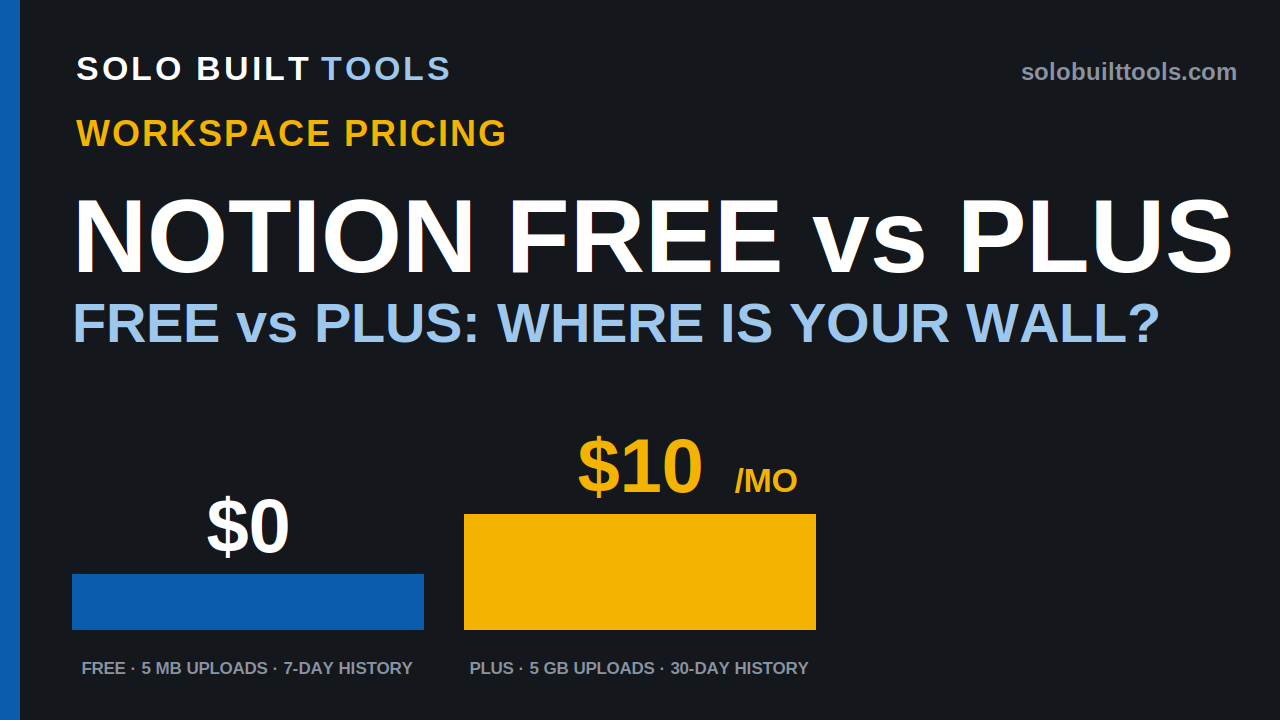
How we compared: This comparison is based on Notion's official pricing page, official release notes, and official help documentation, checked on 2026-11-14. We have not run a paid Notion account for this article, so nothing below is a hands-on finding. Where a number could not be confirmed on an official page, we say so instead of guessing — that applies in this draft to Notion's Business billed-monthly price and to the Enterprise price, flagged where they would otherwise appear.
Verdict
Overall: For a solo operator, Free is the correct starting plan and may be the correct long-term plan — unlimited blocks solo, databases with subtasks and dependencies, basic forms and sites, and Notion Calendar, at $0. Plus is worth its $10 per member/month billed yearly from the day the workspace stops being solo, or when 5 MB uploads, 7-day history, or basic-only sites and forms become the limit. The upgrade buys limits and publishing features, not AI: full Notion AI starts on Business, not Plus.
| Pros (facts) | Cons (facts) | |
|---|---|---|
| Notion Free | $0 with no trial period stated; unlimited blocks for a 1-member workspace; databases including subtasks, dependencies, and custom properties; basic forms and basic sites; Notion Calendar; trial of Notion AI | Blocks limited for 2+ members — at the limit you can read and edit existing content but cannot add new blocks; file uploads up to 5 MB; page history 7 days; external guest limit 10 (official pricing table); automations are basic, buttons only (official pricing table) |
| Notion Plus | $10/member/month billed yearly ($12 monthly); file uploads up to 5 GB; page history 30 days; custom forms and custom sites; charts; collaborative blocks; custom database automations | Charged for every member — a 5-member workspace is $50/month billed yearly before any add-ons; Notion AI is still a trial only; page history stops at 30 days (90 days starts on Business) |
The short answer
Stay on Free if you work solo: a one-member free workspace can add unlimited blocks, so for a single operator the free plan's main limits are 5 MB file uploads and 7-day page history. Upgrade to Plus — $10 per member/month billed yearly, $12 billed monthly — the moment a second member joins, you need larger uploads, or you publish custom sites.
- Stay on Free if you are one person organizing your own notes, projects, and files, and a 5 MB per-file upload limit and 7 days of page history do not block your work. That combination costs $0 indefinitely.
- Choose Plus if any one of these is true: your workspace has (or will have) 2+ members, you upload files larger than 5 MB, you need to recover page versions older than 7 days, or you want custom forms, custom sites, and charts. Plus raises uploads to 5 GB, extends page history to 30 days, and is billed per member.
- Choose neither yet if you are actually shopping for full Notion AI: Free and Plus both include only a trial of Notion AI. The Agent, AI Meeting Notes, and Enterprise Search start on Business — $20 per member/month billed yearly, per Notion's official startup-offer page — so budget that step on the yearly figure, not from a Plus upgrade.
The difference that matters most is who else is in the workspace. Notion's free plan is generous for one person and limited for a team: the official pricing FAQ states that a solo free workspace can add as many pages and blocks as you like, while a multi-member free workspace has a limited number of blocks before you have to upgrade. Plus is priced per member, so its cost scales with exactly the thing that makes Free stop working.
Who each one is for
Free fits you if…
- You are a solo operator keeping your own client notes, project database, and procedures in one workspace: blocks are unlimited for a one-member workspace, per the official pricing FAQ.
- Your files are small — documents and images under the 5 MB per-file upload limit.
- You rarely need to restore an old version of a page, and 7 days of page history covers your mistakes.
- You publish a simple page or two with basic sites, and collect simple inquiries with basic forms.
- You are evaluating Notion before involving anyone else: start here, because the free ceiling only appears when the workspace gains members or larger files.
Free is probably not for you if…
- A second person is joining the workspace as a member: that is exactly where the block limit starts. Budget for Plus instead of building a team workspace on Free.
- You store scans, photos, or PDFs larger than 5 MB each — the free upload limit is per file, so a single large attachment is enough to hit it.
- Your records matter months later and you may need to prove or restore what a page said: 7-day history means versions older than a week are outside the free plan's stated history.
- You need a client-facing site with customization: custom sites start on Plus. If a polished public page is the job, either upgrade or use a dedicated site tool — see also our Notion vs ClickUp comparison (article 7) for the wider workspace choice.
Plus fits you if…
- You work with one or more other members — an assistant, a partner, a contractor as a member rather than a guest — and the workspace must keep growing without a block ceiling.
- You upload working files up to 5 GB each and want 30 days to recover earlier page versions.
- You publish custom sites and run custom forms — for example a client intake form or a small public page for your business.
- You use charts to track a pipeline or workload inside Notion: charts are listed as a Plus feature on the official pricing page.
Plus is probably not for you if…
- You are solo and none of the free limits bind you: paying $120/year per member to remove limits you have not hit buys nothing measurable. Stay on Free and re-check when your work changes.
- Your reason to upgrade is Notion AI: Plus includes a trial of Notion AI, not the full feature set. The Agent, AI Meeting Notes, and Enterprise Search are Business features on the pricing page checked.
- You need long page history (90 days), SAML SSO, or private teamspaces: on the pricing page checked, those start on Business, not Plus.
- Your collaborators only need to see individual pages: guests are free of charge and do not use a paid seat, per Notion's pricing FAQ. Invite page-level guests first, and count only true members when you budget Plus.
Pricing, compared on the same basis
Prices in USD, before tax. Checked 2026-11-14 on the official pages listed in Sources.
Read the basis first — Plus is charged per member, and Free's limits depend on member count. A workspace's Plus bill is the per-member price multiplied by its members; guests are free. The same workspace can therefore be $0 (solo, Free), $10/month (one member, Plus, billed yearly), or $50/month (five members, Plus, billed yearly) with no change in features used — only in who is inside.
Disclosure line for this table: plans are ordered by Notion's tier order, not by preference. Prices and limits checked 2026-11-14. This table contains an affiliate-link placeholder for Notion in the published version; the short disclosure at the top of this article applies.
| Plan | Price (per member/month) | Who it's for | Strengths (facts) | Weaknesses (facts) | Other conditions |
|---|---|---|---|---|---|
| Notion Free | $0 | A solo operator, or anyone evaluating Notion before adding members | Unlimited blocks for a 1-member workspace; databases with subtasks, dependencies, custom properties; basic forms; basic sites; Notion Calendar; trial of Notion AI | Blocks limited for 2+ members; file uploads up to 5 MB; page history 7 days; external guest limit 10; basic automations (buttons only) | Free tier; the official FAQ describes the block limit as: at the limit you can still read, edit, and organize existing blocks, but cannot add new ones |
| Notion Plus | $10 billed yearly / $12 billed monthly per member (official Notion release announcing the current Plus pricing, checked 2026-11-14) | A small team, or a solo operator who has hit a free limit | Everything in Free, plus custom forms, custom sites, charts, collaborative blocks; file uploads up to 5 GB; page history 30 days; custom database automations | Notion AI still trial only; page history capped at 30 days; every member is billed, including members who only occasionally edit | Plus with a 1-member limit is free for students and educators (official pricing FAQ). Custom domain for a Notion Site is a paid add-on: $8/month billed yearly or $10/month billed monthly (official help) |
| Notion Business (context row — not the upgrade this article recommends budgeting from) | $20 billed yearly per member (official Notion startup-offer page, checked 2026-11-14; the billed-monthly price is not confirmed — see Not confirmed) | A team that needs full Notion AI, SSO, or private teamspaces | Everything in Plus, plus Notion Agent, AI Meeting Notes, Enterprise Search (beta), SAML SSO, private teamspaces, granular database permissions, verify any page; page history 90 days | Billed-monthly price not confirmed on the official pages checked; Custom Agents consume Notion credits ($10 per 1,000 monthly credits, official pricing page) | Context row — not the upgrade this article recommends; yearly price confirmed, billed-monthly price unconfirmed |
What you actually pay (billed yearly, before tax)
| Workspace | Free | Plus |
|---|---|---|
| Solo (1 member) | $0 | $10/month = $120/year |
| 2 members | $0 — but blocks are limited for 2+ members | $20/month = $240/year |
| 3 members | $0 — same block limit applies | $30/month = $360/year |
| 5 members | $0 — same block limit applies | $50/month = $600/year |
Billed monthly instead, Plus is $12 per member/month: $144/year solo, $720/year for five members. The yearly interval is the cheaper one — Notion states yearly billing saves up to 20% — but it commits the seat count for the year, with mid-cycle member additions prorated and removals taking effect at the next cycle (official help documentation).
Billing notes that change the real cost
- Per member, not per workspace. Every member added to a paid workspace is a billable action. Notion's help documentation states added members are prorated for the remainder of the billing interval, seats can be reassigned to a different person at no additional cost until the interval ends, and the seat count is re-synced to the actual member count at renewal.
- Guests are free — use them first. Guests only access pages they are invited to and do not consume a paid seat, per the pricing FAQ. A client or contractor who only views one project page should be a guest, not a member, on either plan.
- Multiple workspaces are billed separately. Notion's help documentation states that if you have several paid workspaces, you are billed for each one by its own member count, even under one account. Consolidate before upgrading.
- Add-ons sit on top of Plus. Connecting a custom domain to a Notion Site costs an additional $8/month billed yearly ($10 billed monthly), per official help — relevant if the reason you upgraded was publishing.
- Refunds are time-boxed. The official pricing FAQ states a full refund if you downgrade within three days of signing up for monthly billing, or within 30 days of signing up for annual billing.
Compared by use case
Each row answers in its first lines: which plan fits the job, and the fact that decides it.
| Use case | Free | Plus | Edge |
|---|---|---|---|
| Solo notes and project tracking | Unlimited blocks for 1 member; databases with subtasks and dependencies | Same base, with limits raised | Free — a solo operator does not hit the block wall |
| Adding a first teammate or assistant | Blocks become limited at 2+ members | No team block limit in the plan features checked; billed per member | Plus — the second member is the upgrade trigger |
| Storing client files and scans | Uploads up to 5 MB per file | Uploads up to 5 GB per file | Plus, if any working file exceeds 5 MB |
| Recovering an old page version | Page history 7 days | Page history 30 days | Plus beyond a week; neither plan reaches Business's 90 days |
| Publishing a public page for your business | Basic sites | Custom sites; custom domain is a paid add-on ($8/month billed yearly) | Plus, if customization matters — budget the domain add-on on top |
| Collecting client intake via forms | Basic forms | Custom forms | Depends on your needs — a basic inquiry form fits Free; branded, customized intake fits Plus |
| Tracking a pipeline with charts | Charts not listed for Free in the pricing features checked | Charts listed for Plus | Plus, on the pages checked |
| Using Notion AI every week | Trial of Notion AI | Trial of Notion AI | Neither — full Notion AI starts on Business ($20/member/month billed yearly). Do not upgrade to Plus expecting AI |
Watch out for
- "Unlimited blocks" on Free has a condition. It applies to a workspace used by yourself. The official pricing page lists free pages and blocks as "limited for 2+ members", and the FAQ confirms a multi-member free workspace can add only a limited number of blocks before upgrading is required. This is the single easiest Notion limit to misread.
- The upload limit is per file, not total storage. Free allows uploads up to 5 MB; Plus raises that to 5 GB. One 20 MB scan is enough to force the question on Free, however little you store overall.
- History is a retention window, not a backup. 7 days on Free and 30 days on Plus mean older versions fall outside the stated history. If a page is a record you must keep, export or copy it on your own schedule on either plan.
- Plus does not unlock Notion AI. Both Free and Plus list a trial of Notion AI. The Agent, AI Meeting Notes, and Enterprise Search sit on Business in the pricing table checked, and Custom Agents there consume Notion credits at $10 per 1,000 monthly credits. An AI-motivated upgrade to Plus spends $120/year per member without reaching the feature.
- Member hygiene is the bill. Because Plus charges per member and removals only reduce the bill at the next cycle, an old contractor left as a member keeps costing a seat. Use guests for page-level access, and review the member list before each renewal — Notion re-syncs the seat count to the members present at renewal.
- What Free cannot do / where Plus is the answer: team block headroom, uploads above 5 MB, history beyond 7 days, custom forms and sites, and charts are the stated Plus steps. What Plus cannot do / where the answer is not Plus: full Notion AI, SAML SSO, private teamspaces, and 90-day history start on Business — and if your real need is task and sprint management rather than a documents workspace, the alternative to weigh is a task tool (see our Notion vs ClickUp comparison, article 7), not a higher Notion tier.
- Prices move. The current Plus price — $10 billed yearly / $12 billed monthly per member — comes from Notion's official release announcing that pricing, and the pricing page checked states yearly billing saves up to 20%. Every price in this article is dated 2026-11-14; re-check on Notion's pricing page on the day you upgrade.
FAQ
Is Notion Free really free for a solo user?
Yes — it is a free plan at $0, and the official pricing FAQ states that a Free Plan workspace used by yourself can add as many pages and blocks as you like. Its solo limits are the 5 MB file upload limit, 7-day page history, and basic forms, sites, and automations.
What exactly happens when a free team workspace hits the block limit?
You can still read, edit, and organize existing content blocks as usual, but you cannot add new content blocks, per the official pricing FAQ. The workspace does not lock you out of what already exists; it stops growing until you upgrade.
How much is Notion Plus for one person?
$10 per month billed yearly ($120/year), or $12 per month billed monthly, per the official Notion release announcing the current Plus pricing, checked 2026-11-14. A student or educator can get Plus with a 1-member limit for free, per the official pricing FAQ.
Does Plus remove the block limit for teams?
Yes — Notion's official release announcing the current Plus pricing lists "unlimited blocks and file uploads" among what Plus customers get, and the pricing page presents the block limit as a Free-plan, 2+-member condition. On Notion's own pages, Plus is the tier where the team block limit no longer applies.
How many guests can I invite?
On Free, the official pricing table lists an external guest limit of 10. For Plus, Notion's official release announcing the current pricing states that Plus customers can collaborate with up to 100 free guests, and Notion's current downgrade help page likewise counts up to 100 guests on Plus — so the Plus guest limit is 100 (the pricing table itself rendered only the Free figure in the view checked). Guests are free on paid plans and do not use a paid seat.
Does upgrading to Plus give me Notion AI?
No. Free and Plus both include a trial of Notion AI. Full Notion AI — Notion Agent, AI Meeting Notes, and Enterprise Search — starts on Business, per the official pricing page checked. Business costs $20 per member/month billed yearly (official Notion page; the billed-monthly price is not confirmed — see below).
Can I downgrade back to Free later?
The official pricing page states downgrades take effect at the end of your billing cycle. It also states refund terms: a full refund if you downgrade within three days of a monthly signup or within 30 days of an annual signup. What happens after a downgrade is stated on Notion's official downgrade help page: a workspace downgraded to Free with two or more people is capped at 1,000 blocks (a one-person workspace keeps unlimited blocks), uploads return to 5 MB per file, and page history returns to 7 days. At the block limit, existing content stays readable and editable but new blocks cannot be added, per the pricing FAQ.
Does this site earn money if I upgrade to Plus?
It can, through Notion's affiliate program (PartnerStack), once this site's registration is approved — registration is not yet done, so the link above is still a placeholder. The program's published terms describe a commission of up to $50 per activated signup plus 20% of first-year revenue, with a 180-day attribution window; the "up to" matters — $50 is a maximum, not a guaranteed amount, and an upgrade only counts under the program's stated conditions (a new workspace upgrading to a paid Plus or Business plan within the window).
Where to start
- Start (and possibly stay) with Notion Free if you work solo — build your real workspace there first, and let a specific limit, not a feature list, tell you when to pay. → Try Notion Free: [AFFILIATE LINK]
- Start with Notion Plus if a second member is joining, your files exceed 5 MB, or you need custom sites, custom forms, charts, or 30-day history — count members carefully first, invite page-level collaborators as guests, and choose yearly billing only if the team size is stable. → Try Notion Plus: [AFFILIATE LINK]
Last updated: 2026-11-14. Last checked: 2026-11-14. Prices and features can change without notice; the vendor's pages below are the deciding source.
Related questions
- Notion vs ClickUp for Solo Operators and Small Teams: Which Should You Choose?
- Kit vs Mailchimp for Creators: Which Should You Choose?
- All Workspace comparisons
Sources (official pages, checked 2026-11-14)
- Notion — Pricing (plan features and limits: Free blocks limited for 2+ members, file uploads 5 MB Free / 5 GB paid, page history 7 / 30 / 90 days, external guest limit, basic vs custom forms/sites, charts, automations by tier, Notion AI by tier, Custom Agents at $10 per 1,000 monthly Notion credits; FAQ on solo unlimited blocks, what happens at the block limit, per-member billing, guests, student/educator Plus, refunds, downgrades): https://www.notion.com/pricing
- Notion — Release notes, "Upcoming changes coming to our Plus plan" (current Plus pricing: USD $10 per member/month on the annual plan, $12 on the monthly plan, effective for new customers from 2024-06-26; Plus described with unlimited blocks and file uploads, 30-day page history, up to 100 guests): https://www.notion.com/releases/page/8
- Notion — Help Center, "Manage billing in Notion" (seat-based billing, proration for added members, no mid-cycle proration for removals, seat re-sync at renewal, separate billing per workspace, yearly vs monthly intervals): https://www.notion.com/help/billing
- Notion — Startup offer page (official page stating "Notion's Business Plan costs $20 per member paid annually"; the source for the Business billed-yearly price used above): https://www.notion.com/md/builder-startups
- Notion — Help Center, "Downgrading your Notion plan" (what changes when you downgrade to Free: 1,000-block cap for workspaces with 2+ people, 5 MB uploads, 7-day history, guest limits by plan — Free 10, Plus 100, Business 250): https://www.notion.com/help/plan-downgrade
- Notion — Help Center, Notion Sites custom domain (custom domain add-on: $10/month, or $8/month with annual billing): https://www.notion.com/help/notion-sites-availability-and-pricing
- Notion — Affiliate program (program terms used in the FAQ note: up to $50 per activated signup plus 20% of first-year revenue, PartnerStack; the same official page's FAQ states the qualifying condition used in the FAQ above — a new workspace upgrading to a paid Plus or Business plan within the 180-day window): https://www.notion.com/affiliates
Not confirmed in this article
- Notion Business billed-monthly price and Enterprise price — Unconfirmed. Business's billed-yearly price is confirmed at $20 per member/month from Notion's official startup-offer page (checked 2026-11-14); no AI-upgrade math in this article uses any other Business figure. The billed-monthly Business figure could not be confirmed consistently on official pages, and Enterprise is custom-priced. Third-party price listings were not used, per this site's sources rule.
- The current Plus guest limit — confirmed on 2026-11-14 (flag resolution). Notion's official release announcing the current Plus pricing states that Plus customers can collaborate with up to 100 free guests, and the downgrade help page counts up to 100 guests on Plus, so this article quotes the Plus guest limit as 100; the Free figure (10) comes from the official pricing table.
- Whether the free plan's 7-day page history and other listed limits apply identically in every region and currency — the pricing page checked presents prices in USD; regional presentation was not reproduced for this draft.
- Notion's affiliate program terms for this site (PartnerStack: up to $50 per activated signup + 20% of first-year revenue, 180-day server-to-server attribution, per notion-program-check-v1.md) — registration not yet done; the placeholders above stay placeholders until approval.